Case study · Sales · Web & mobile
Outsource Giant
A portal that helps solar energy sales reps create leads, buy and sell them, collaborate with teammates, and stay on top of meetings and tasks, on desktop and in the field on mobile.
At a glance
- The problem
- Sales reps tracked leads in spreadsheets and offline tools, talked across emails and chats, missed meetings, and rarely shared what they knew.
- What I did
- Interviewed sales reps, then designed the whole portal solo, desktop and mobile, with a design system to hold its 600+ screens together.
- The result
- A complete design for one place to log a lead in the field, follow it to a contract, buy more from the marketplace, and stay connected to the team.
Project timeline
- Interviews with sales reps and a competitive analysisMonth 1
- Colours, type, components and iconsMonth 2
- Leads, communities, calendar, tasks, trainings and coinsMonths 2–4
- The same portal for reps in the fieldMonths 5–6
The challenge.
Outsource Giant needed one place for their sales representatives. The goal was a portal that helps reps create leads, manage solutions, collaborate with teammates, and stay on top of meetings and tasks, all in one place, to grow solar energy adoption.
Before it, their workflows were fragmented, and it slowed them down.
Scattered leads
Lead tracking lived in spreadsheets and offline tools.
Scattered conversations
Team communication was spread across emails and chats.
Missed meetings
Inconsistent scheduling meant missed meetings and tasks.
Working alone
Low engagement, and little knowledge-sharing between reps.
What the research showed.
To understand what reps needed, I interviewed sales reps and ran a competitive analysis. Three findings shaped the portal:
- One tool, not five. Reps needed something simple that combined CRM-like features with collaboration, instead of switching between tools.
- Mobile is where the work happens. Reps spend their days visiting neighbourhoods, so logging a lead on the phone, on the spot, was critical.
- Motivation matters as much as productivity. Recognition and knowledge-sharing kept reps going as much as any feature that saved time.
Designing for Michael.
The interviews came together in one persona: Michael, a field sales rep who spends most of his day talking to homeowners about solar energy. He relies on his phone to log leads, but loses some to scattered notes and forgotten follow-ups, and feels isolated from his team while he’s out.
Following him through a day showed where each feature had to help, from meeting a homeowner to closing the loop.
Discover
Notes used to get lost in paper and apps. Opportunity: mobile-first, with a quick-add lead form.
Create the lead
Long forms in other tools slowed him down. Opportunity: a streamlined form with save as draft.
Assign next steps
No way to make sure someone owned the task. Opportunity: task assignment with reminders.
Schedule a meeting
Meetings were missed without a synced calendar. Opportunity: calendar sync and push reminders.
Collaborate
He felt isolated on the road. Opportunity: a social feed for updates and recognition.
Close the loop
Old systems made progress unclear. Opportunity: simple status updates everyone can see.
Design process
- 01
Research
- Interviews with sales reps
- Competitive analysis
- Persona & journey
- 02
Design system
- Colours & typography
- Components & icons
- 03
Desktop portal
- Leads & solutions
- Communities
- Calendar, tasks & coins
- 04
Mobile app
- The same portal, for the field
One system, 600+ screens.
With leads, a marketplace, communities, calendars, trainings and coins across about 300 desktop and 300 mobile screens, the portal needed one system to stay consistent. A blue primary inspired by renewable energy carries the actions, a warm gold marks rewards and highlights, and Poppins sets everything, from headings to labels.
Primary
- #437ED9
- #6B9AE1
- #95B7E9
- #BFD4F2
- #EAF1FB
Secondary
- #D9B343
- #E1C36B
- #E9D495
- #F2E5BF
- #FBF6EA
Neutral
- #1F1F22
- #494B52
- #6E707A
- #9396A3
- #B8BBCC
- #F1F1F4
- #FFFFFF
Status
- Error#CC4E4E
- Success#519C66
Poppins
Typeface
- RegularCreate leads and more
- MediumCreate leads and more
- BoldCreate leads and more
Two ways to join.
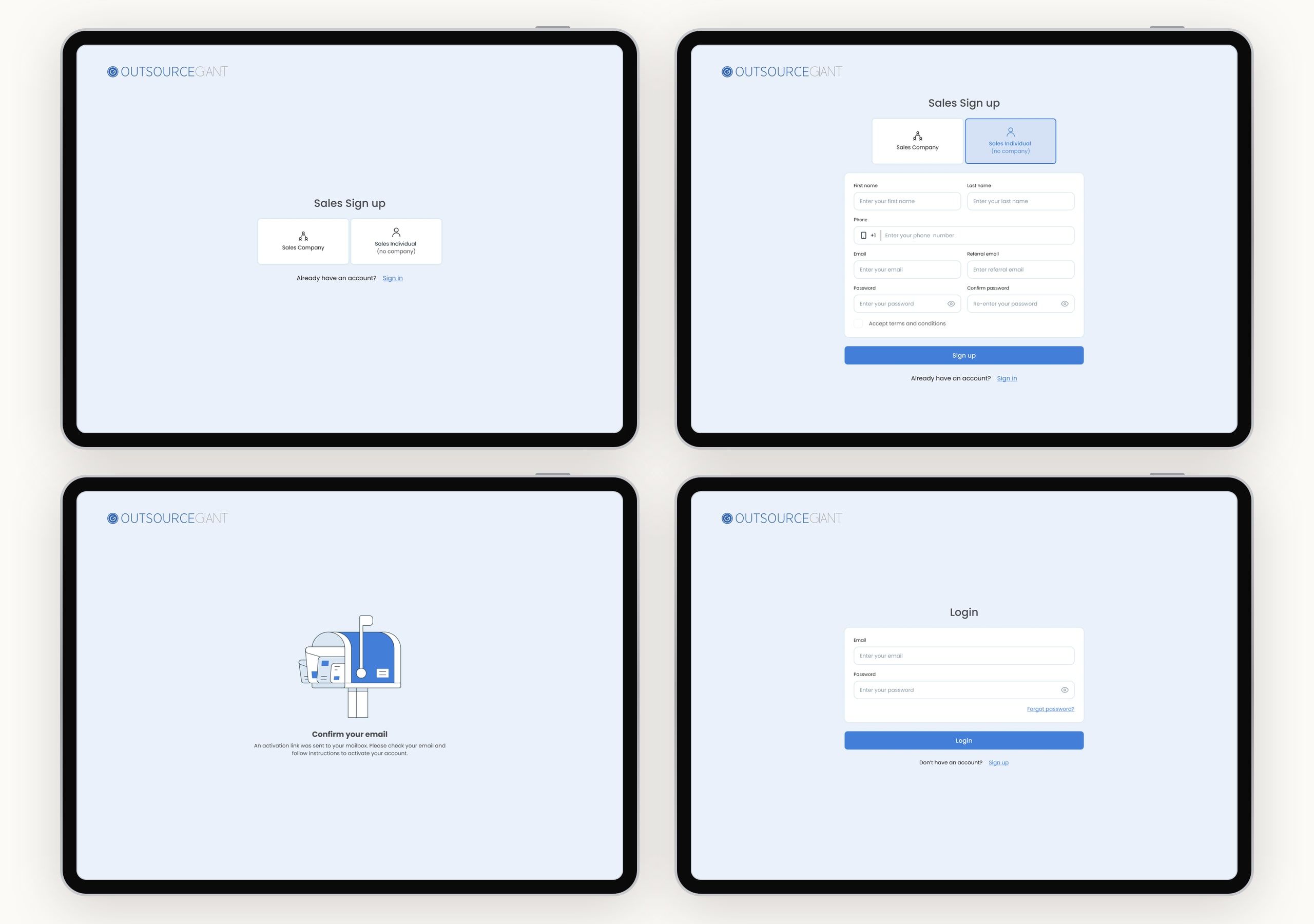
Reps sign up as a sales company or as an individual, confirm their email, and log in, in a short flow that gets them to their leads quickly.
Leads, from first visit to contract.
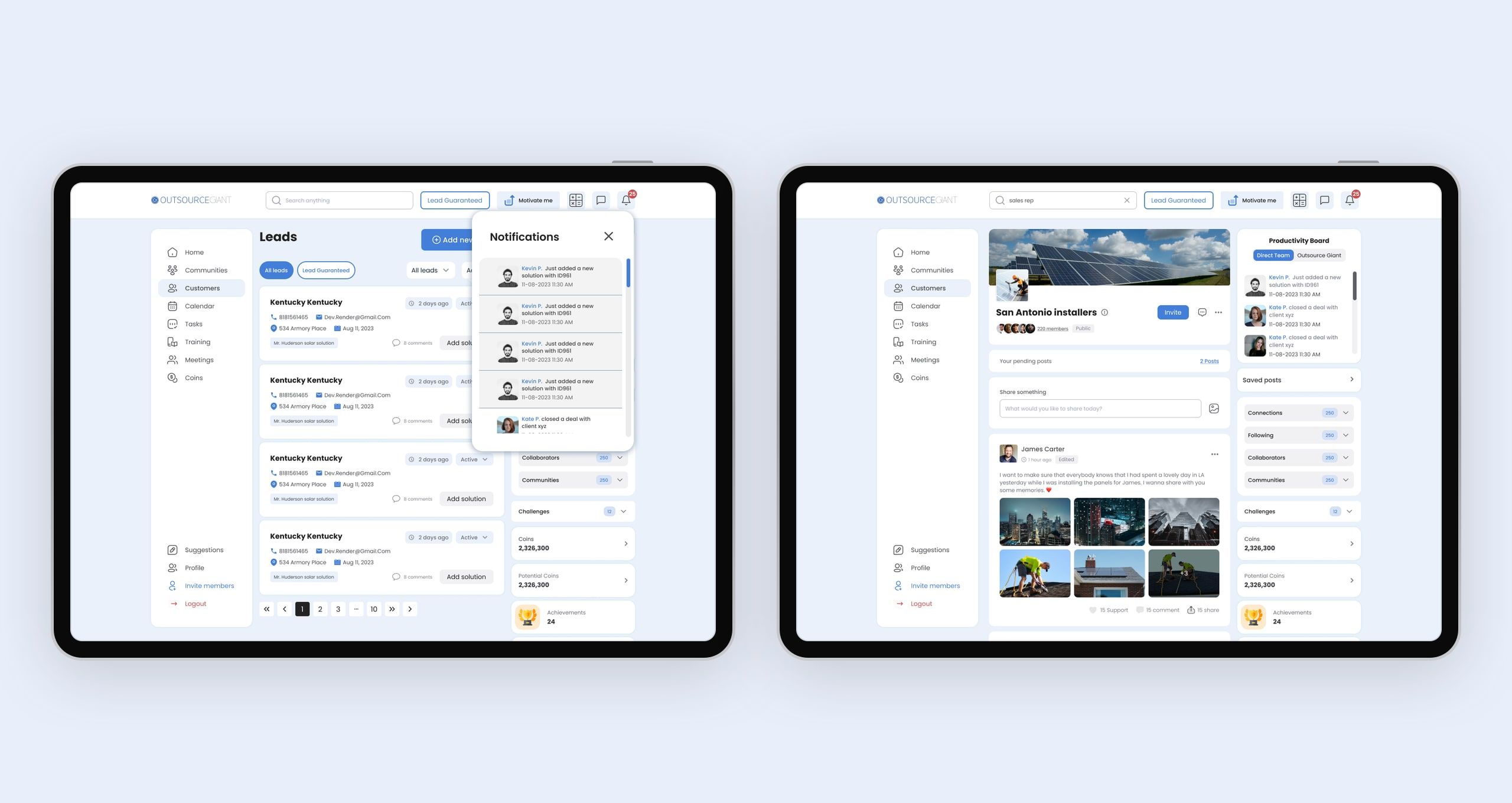
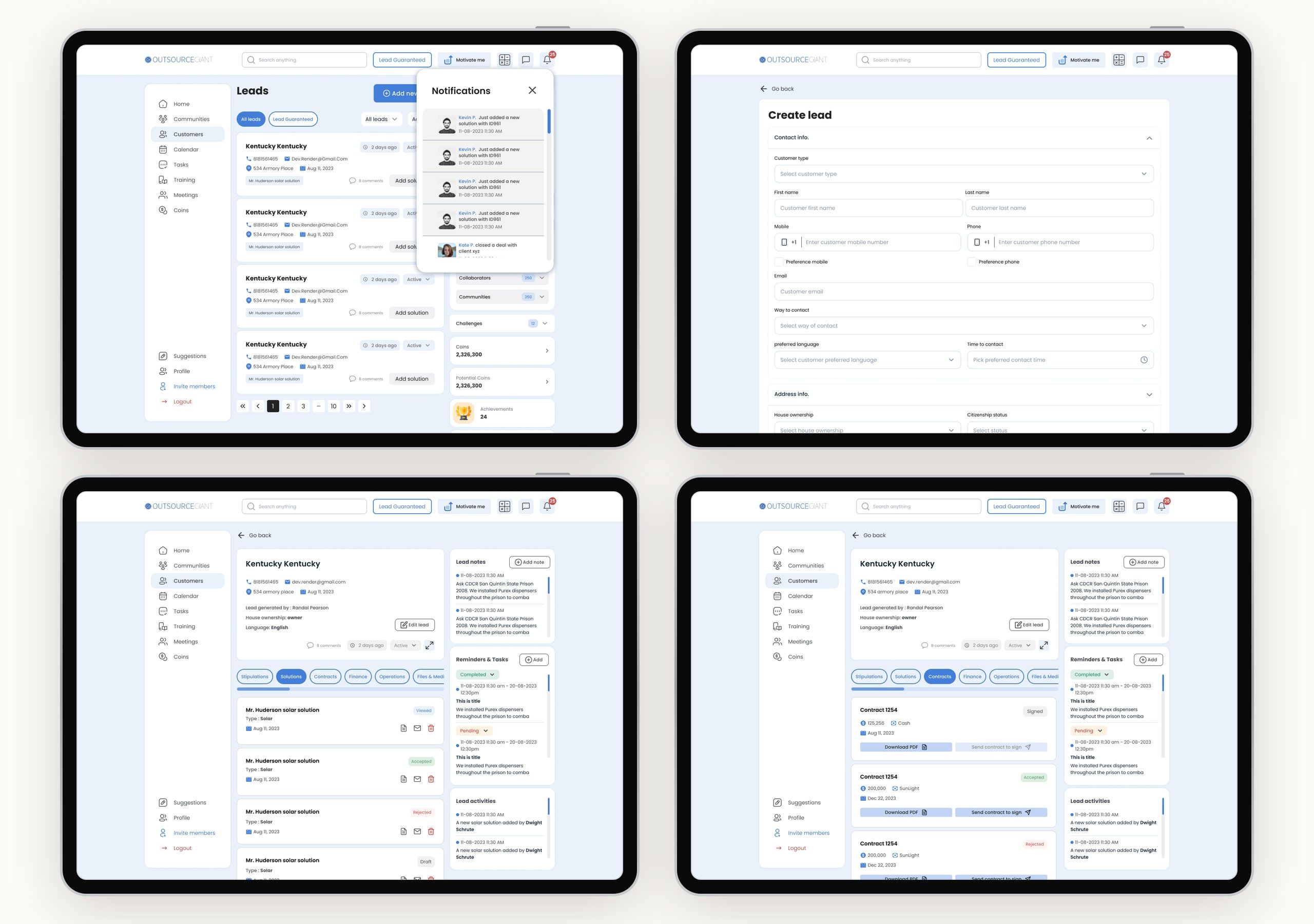
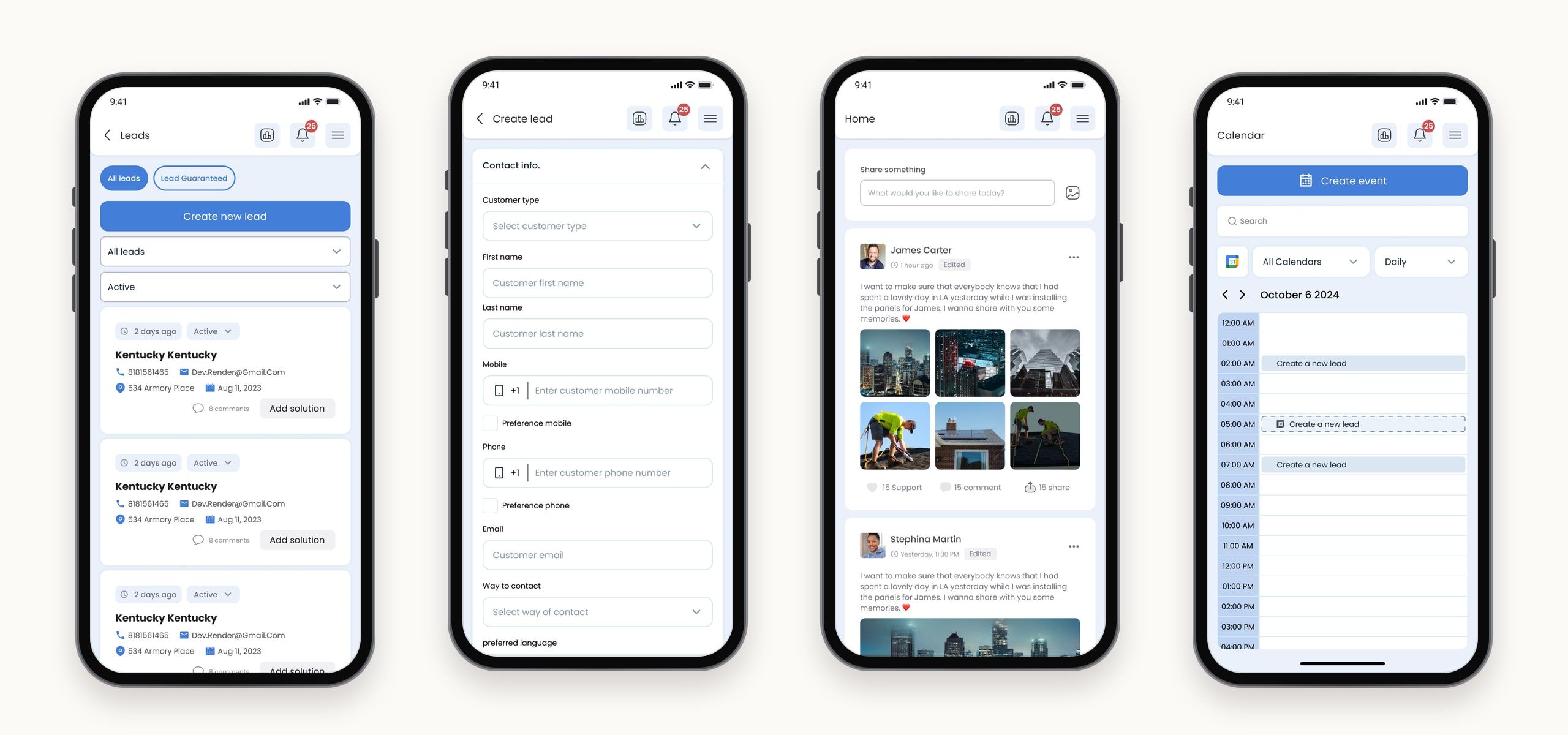
The Leads dashboard gives reps a clear view of every potential client. They can quickly add or filter leads, see client details at a glance, assign solutions, and follow each lead through solutions, contracts and tasks, while notifications keep them updated.
Communities, not just contacts.
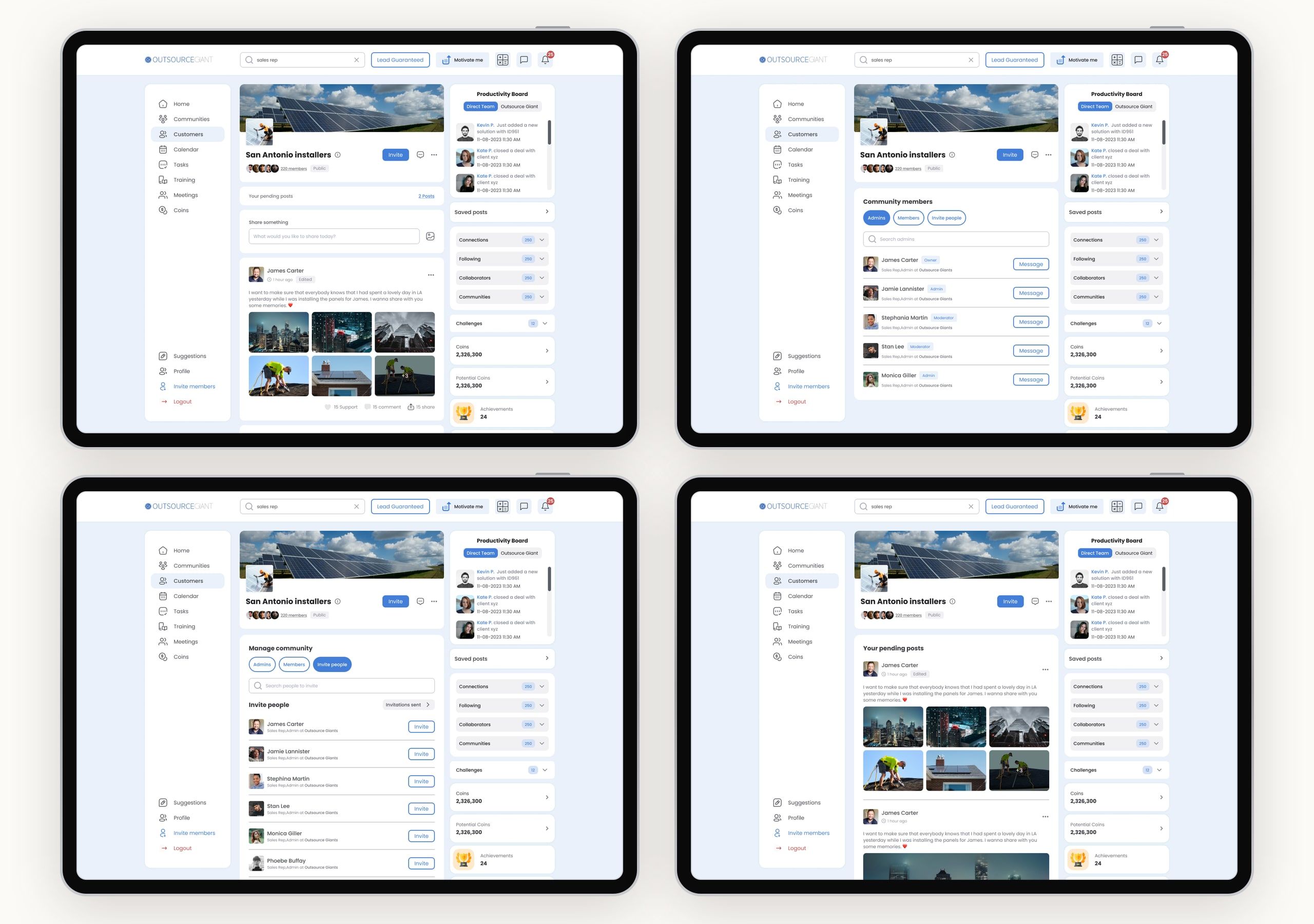
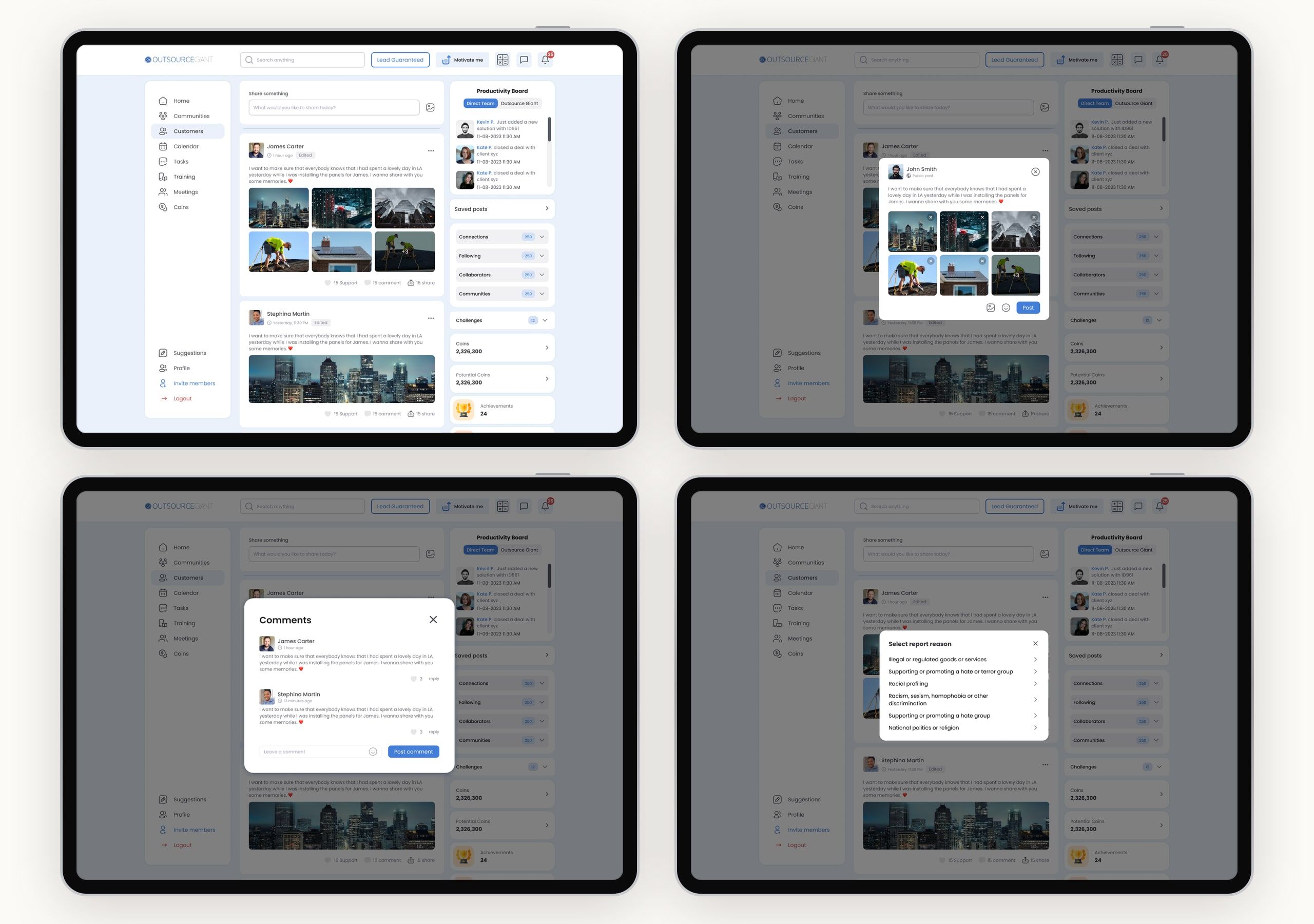
Research showed that knowledge-sharing mattered as much as productivity. Communities let reps join groups like San Antonio installers, share updates and wins, invite people, and manage members, while a productivity board celebrates activity and achievements.
A feed for the team.
The home screen is the team’s feed. Reps post photos from installations, react and comment, and report anything that doesn’t belong, which keeps them connected even when they spend the day out alone.
Never miss a meeting.
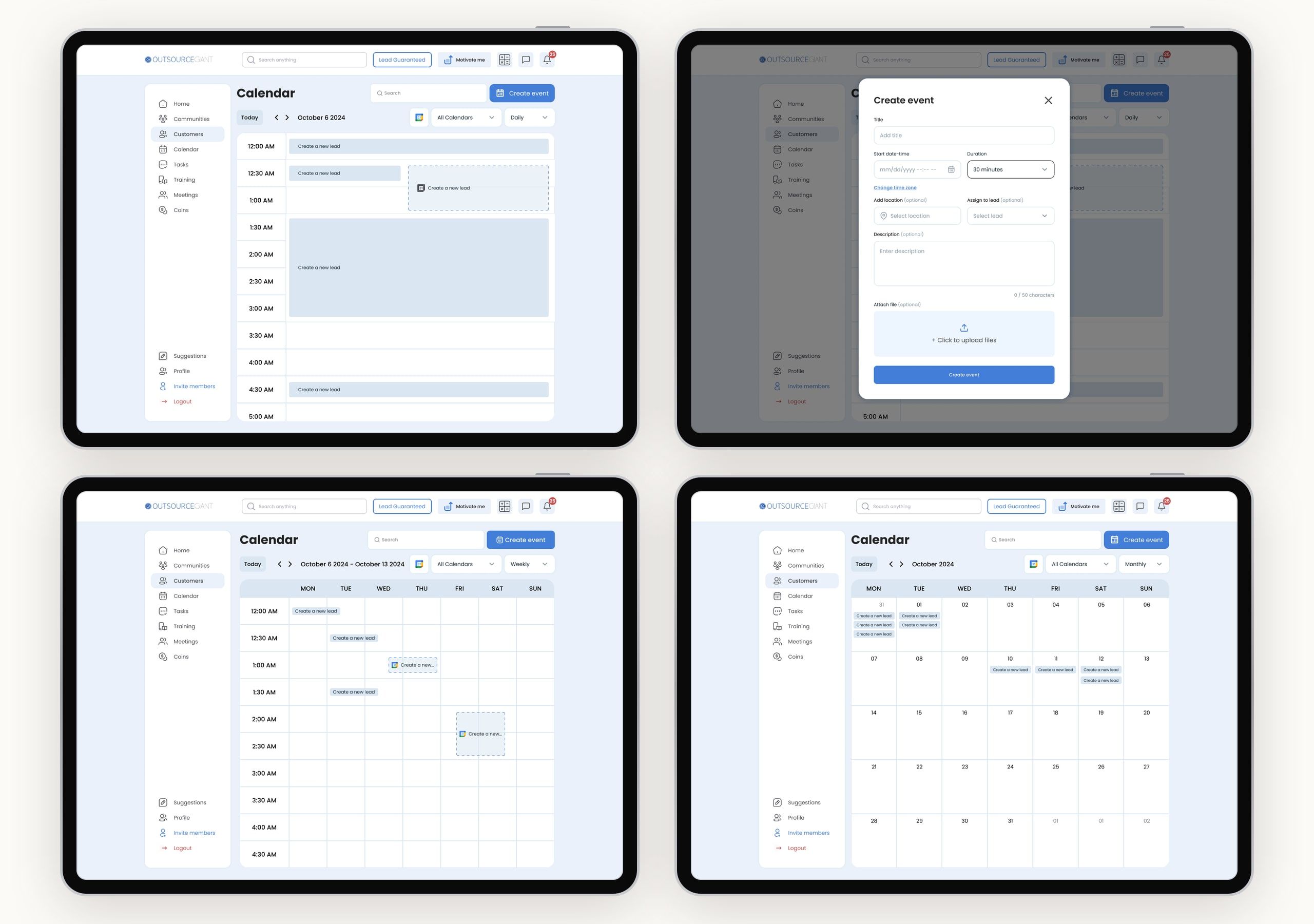
Missed meetings came from inconsistent scheduling, so the calendar brings meetings, leads, tasks and Google Calendar together. Reps switch between daily, weekly and monthly views, and create an event linked to a lead in a few fields.
Everything else a rep needs.
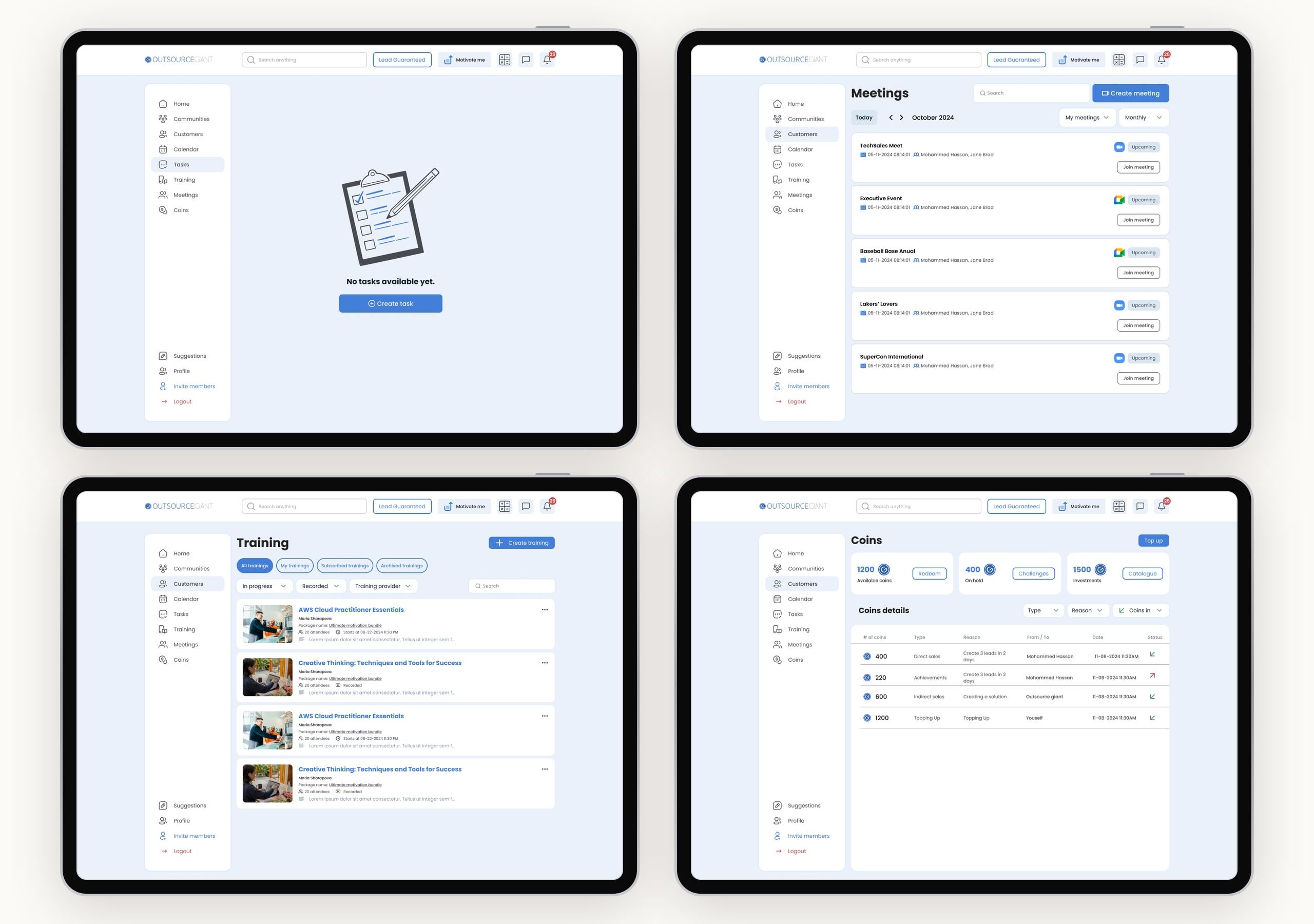
Tasks, meetings and trainings round out the workday, and coins tie it together: reps earn them for leads and achievements, and use them to buy leads or cash out.
A marketplace for leads.
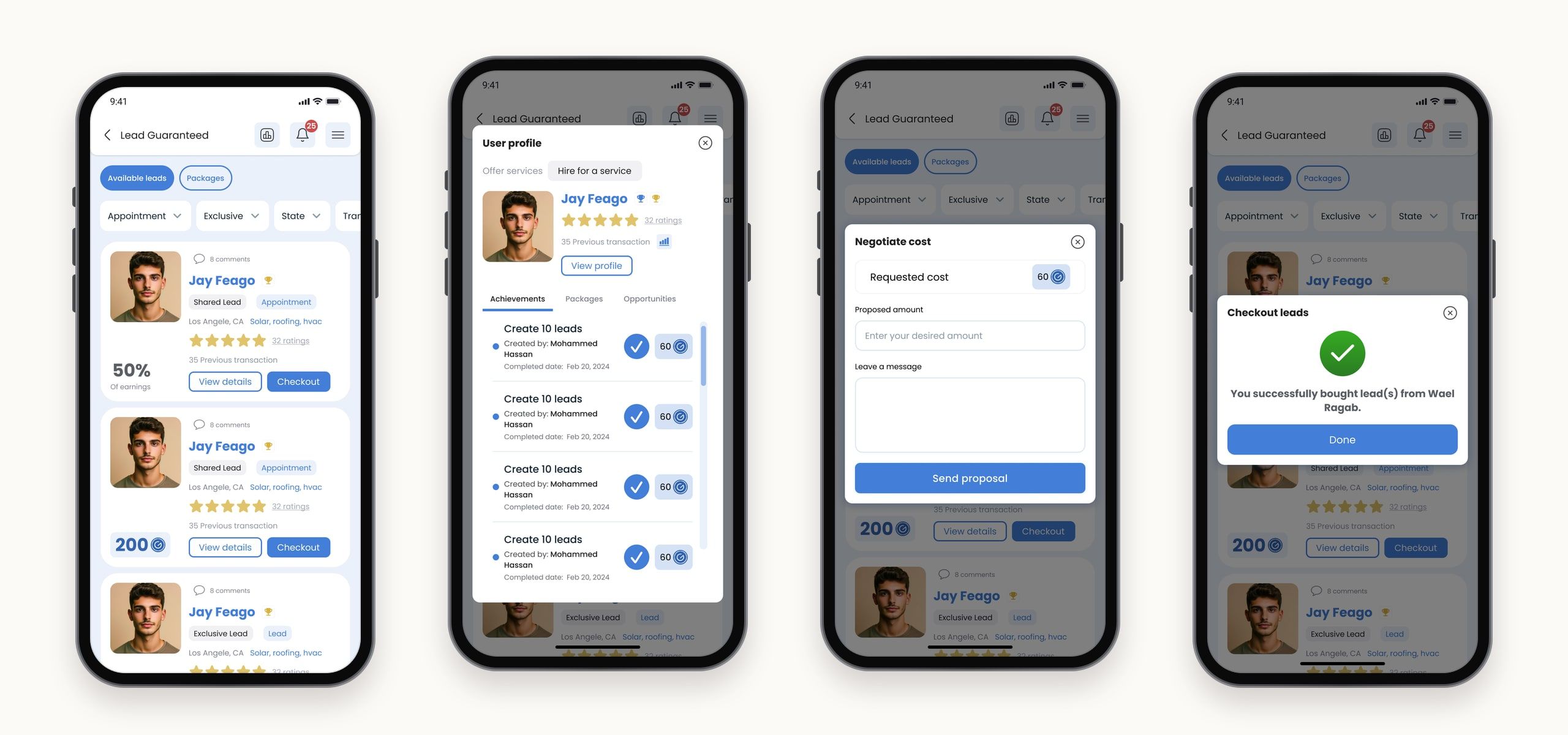
Lead Guaranteed lets reps buy leads from each other. Sellers show their success rate and ratings, buyers can view a seller’s profile and achievements, negotiate the price, and check out with coins.
The same portal, in the field.
Mobile access was critical for reps on the road, so the whole portal works on the phone too: a rep can create a lead in front of a homeowner, check the team feed between visits, and book the next meeting before leaving the house.
Final notes
The portal grew to cover a lot, from leads and contracts to a marketplace, communities, coins and trainings, so the real work was keeping it feeling like one product. The design system did most of that, and so did the persona. Every time a feature competed for space, the question was the same, whether it helps a rep standing on a doorstep log the lead before they forget it.